WalkingPad C2 treadmill

Budget · supported in Paceora

WalkingPad C2

The C2 makes sense when the hardware has to stay easy to store and easy to start using. It is not the calmest or most heavy-duty option, but it is one of the easiest to live with.

This page includes affiliate links. If you buy through them, Paceora may earn a commission at no extra cost to you.

The C2 is a smart buy if your main goal is low-friction walking in a tight room. It is less convincing if you want a more planted daily desk setup.

Our take

Buy the C2 when convenience is the main job to solve. If you want a calmer, more planted desk setup for longer daily sessions, the A1 Pro is usually the better buy.

The C2 is the model people usually want when they say they need a walking pad, not a treadmill project. It folds flat, fits smaller rooms, and solves the real apartment problem better than heavier decks do.

The C2 is best for compact home offices, selective low-speed work sessions, and buyers who know the treadmill has to disappear cleanly after use.

Where it sits in the lineup

In the WalkingPad lineup, the C2 sits on the compact end: cheaper and easier to hide than the sturdier A1 Pro, and much less ambitious than the premium X series.

Desk-work fit

Short use

01

Short sessions

The C2 shines during 20–40 minute walks. It is genuinely good at being a quick-session machine for writing, email, or lighter review work. Start it, walk, fold it away.

Endurance

02

Long sessions

Sessions past 45 minutes expose the narrower deck. Your feet start to notice the edges, and the lighter build becomes more present in your awareness. If long sessions are your plan, the A1 Pro is the safer bet.

Typing

03

Typing-heavy work

Moderate typing works fine. Bracket-heavy coding or fast transcription-style work may feel less planted than on the A1 Pro. For casual email and document writing, the C2 handles it well.

Calls

04

Call-heavy work

Quiet enough for between-call walks. At low speed, the motor is subtle. Pause for active calls — the C2 is best as a between-meeting machine.

Deep focus

05

Focus-heavy work

Manageable for medium-depth focus. Deep focus work lasting over an hour is better served by a wider deck. The C2 works for focus, but the A1 Pro works better.

Office

06

Shared or visible office

Good. The C2 disappears when stored, which matters in shared spaces. It is less disruptive to a shared room than any other model.

Setup and space

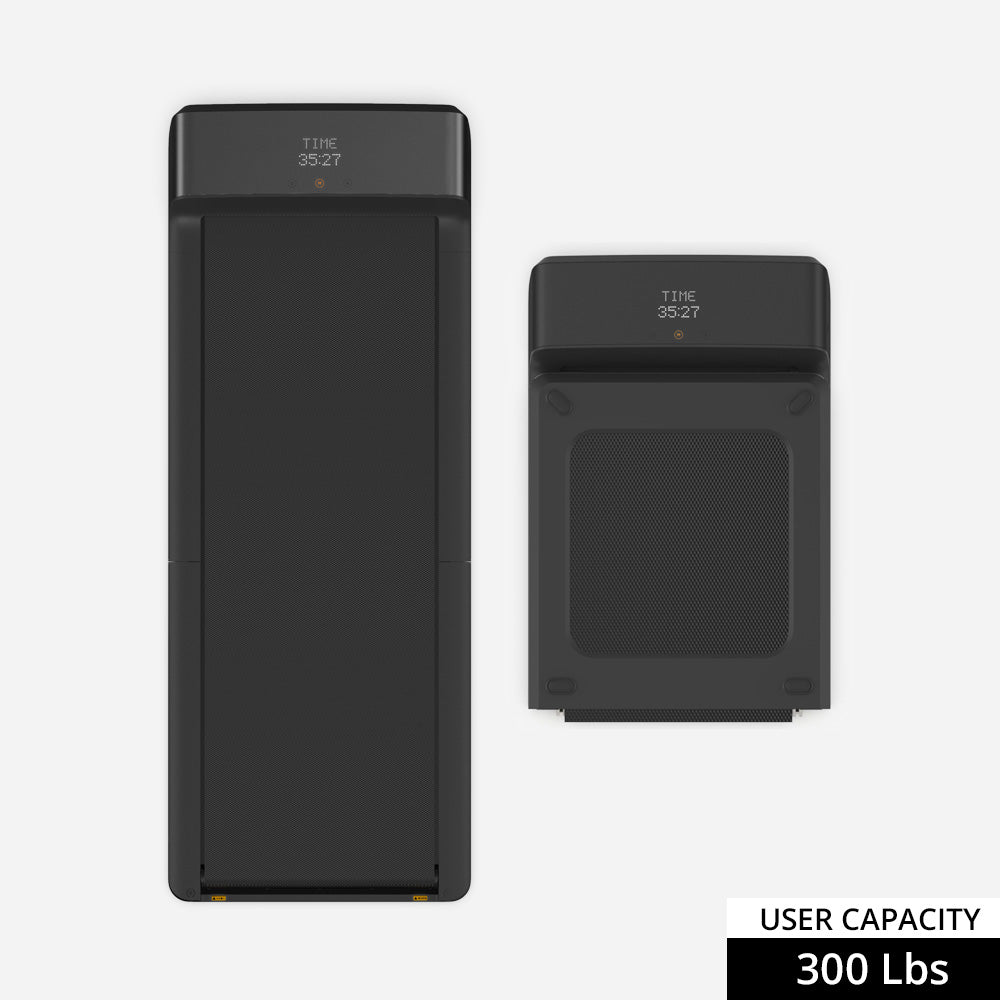
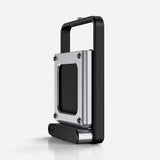
This is the C2's defining strength. It folds to 32 × 20 × 5.5 inches and slides under a bed, sofa, or desk. No other supported model stores this easily. If your living situation demands that the treadmill vanish after use, this is the only real answer.

Works under most standing desks. The low profile (roughly 5 inches when unfolded) preserves more headroom than taller models. Check that your desk goes high enough to account for the added height plus your shoes.

Setup tips

  • Use it with a stable standing desk and conservative walking speed.
  • Treat it as a desk-first machine for writing, admin, review work, and lighter focus sessions.
  • Expect the best experience when you can fold it flat instead of leaving a larger treadmill permanently out.

What the evidence shows

The recurring pattern is simple: reviewers and shoppers like the size and convenience, but the narrower deck and the first-party app experience keep showing up as the tradeoffs.

The C2 is well-documented across retail and editorial sources. Deck size, motor specs, and storage claims are consistent. The main uncertainty is individual user tolerance — narrower decks bother some walkers more than others, and that is hard to predict without trying.
Specs that matter in practice

Top speed
0.5-3.7 mph / 0.5-6 kph
Weight capacity
220 lb / 100 kg
Foldability
180-degree fold
Motor
1 HP brushless motor
Size and deck
Folded 32 x 20 x 5.5 in; unfolded 57 x 20 x 5 in; walking area 47.2 x 15.8 in
Storage style
Flat fold that slides under a bed, sofa, or desk

What works well

  • Best small-space story in the publishable set
  • Still desk-first enough to make sense for writing, admin, and lighter knowledge work
  • Good fit when Paceora is meant to remove friction from short workday sessions

Where it falls short

  • Narrower deck becomes more noticeable during longer typing sessions
  • Less convincing for heavier users or all-day desk routines
  • Still inherits some of the app-control frustration Paceora is trying to replace

How it compares

Against the A1 Pro: you're trading deck confidence and long-session comfort for meaningfully better storage. Against the X21: completely different priorities — the C2 is about convenience, the X21 is about premium office presence. Most cross-shoppers between C2 and A1 Pro should ask: 'Does the treadmill need to disappear daily?'

Alternatives

WalkingPad A1 Pro treadmill

WalkingPad A1 Pro

If you want one sensible desk-first recommendation, start here. The A1 Pro is not the flashiest model, but it is often the hardest one to regret.

WalkingPad X21 treadmill

WalkingPad X21

The X21 is worth it when premium office fit is the actual buying reason. If it is not, the A1 Pro usually covers the workday problem for less.

Using with Paceora

High for short-session users. The C2 is built for convenience, and phone-app control undermines that promise. Paceora restores the frictionless story — menu bar start, walk, stop, fold. The Mac angle matters most when the whole point is reducing setup time.

  • Paceora is valuable here because the C2 is supposed to be convenient, and phone-only control is the opposite of convenient.
  • The Mac angle matters most if you already work in short focused blocks and want faster speed changes without reaching for the phone.
  • Hardware fit still comes first: the deck only works well when your standing desk and floor setup are already right.

Best for these work styles

Buyer guides

FAQ

Questions people usually have

Is the WalkingPad C2 a smart buy for desk work?

Yes, if the real problem is space and convenience. The C2 is easier to live with than bulkier treadmills, but it gives up some long-session calm compared with the A1 Pro.

What is the main tradeoff with the C2?

The narrower, lighter-feeling deck. It works well for selective low-speed walking, but it is less forgiving when typing sessions get long or sloppy.

Why would a Mac user care about Paceora on the C2?

Because the C2 is all about low-friction use. If the control flow stays on the Mac instead of in KS Fit, the treadmill is easier to start using in short work blocks.

Buy the C2 if the real problem is space

If compact storage is the non-negotiable, the C2 is the cleanest supported option to buy first and optimize later.